Tuesday, December 21, 2021

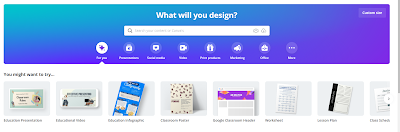
Canva: A Presentation Tool for All!


The first thing I want to say is that educators can get a FREE subscription. It is rare that educators get anything for free, especially an amazing tech tool such as Canva.

And here's the thing. You don't get some watered down version of Canva for free, you get PRO features. You can use these features to "create lessons, learning materials, and activities in minutes." I used what they said on the site, but being an avid user myself, I can say that this is in fact, a true statement.

Why Canva?

I can't even go into all the ways you can use Canva in your classroom. My goal is to get you to check it out out, and play around with it yourself.

I love that I was able to set up a classroom where their work is shared with me. I can review it, and leave feedback, and/or return if something needs to be edited. I can also create assignments for them.

I love to use it myself for a variety of things, but I love to use it with my students because it is so easy for them to use. The other day, I told my students that they could use Canva to create Christmas cards for their family. 

Christmas card

They came up with the most beautiful cards, choosing from the multitude of Christmas Card templates Canva has to offer. One of my students even taught me how to add audio to the card.

I then shared the cards with their families on Classdojo, using the link provided by Canva.(On this card, the characters are actually animated.) My parents were so touched by their cards.

We also created book covers when we were working on a narrative fiction unit. Check out the
example.

At the beginning of the year, I had my kiddos create posters showing how they feel about Math.
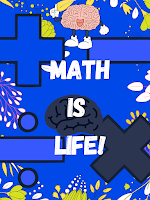
"What is Math?" poster
The templates make it sooooo easy! I can't wait until I introduce presentations using video. I am excited to see what my students do with that.

If you only use one tool for presenting this year, choose Canva!

Sunday, December 5, 2021

Quizlet Checkpoint


Raise your hand if you use Quizlet.

Now raise your hand if you use Quizlet Live.

Well, have you heard about Quizlet Checkpoint?

It is described as a quick and fun formative assessment, and I think that is a pretty good description.

Yes, there are already a lot of  interactive formative assessments out there, but I don't see anything wrong with adding another to the mix.

And, my students really enjoy it!

I love when they start counting...5,4,3,2,1....  


You have to play to know what I mean.You select the terms you want to use, and it takes you to a format just like Quizlet live. The kids already know how to sign in, so that makes it easy. You have to have at least 2 students in order to play.

I like that I can copy the link because I have been hybrid the last few days, so I just popped the link into the ZOOM chat and my ZOOM kiddos are in the game!


The students can use the same devices they use for Quizlet Live. When they post their answer, they get encouraging terms, like "You're doing great" if they get it right or "Try this one later." if it is incorrect. After all the students have selected an answer,  it shows the results, (no names).


At the end of the round the teacher gets a Class Summary, top scorers, and the breakdown of the answers that were chosen.(That was me trying to play on my phone and other profile. Didn't work out well.:)

And what I really like is that the students get their score, results, and a review of questions. They can choose from "All questions" or "Missed questions."

Yes, I know there are already a slew of formative assessments out there, but if you are looking for a change, try Checkpoint!

Saturday, December 4, 2021

Ziplet:Exit Tickets Made Easy!


Two things are important to me in my classroom.

Finding out how my students are feeling.

Finding out how they are doing with the content.

There are A LOT of edtech tools that provide this information but I have fallen in love with Ziplet.

What do I love about Ziplet?

*No Student Logins are required. NONE. The students access the site and use the GO Pin. I have posted the GO Pin in my room so that the students can access it easily.

*They have ready made questions OR I can write my own. But you know those ready made questions are it. 

*I can set it up in no time. Write the question, or use one of their Template questions.

Pick a format for how you want the students to answer and BAM! You are done.
*Students can respond anonymously. I don't always have to know who said what.

*My questions are saved. I just close them and I can use them again if I need them. Click "Ask again" and it is the same question, fresh start.

*My students love it!

I don't know why they added, "Exit Tickets Made Easy", because it is so much more than that. Give it a try!

Monday, April 21, 2014

Creating a BackChannel or Exit Ticket on Google Docs!


We are a Google Education school, so when I saw this, I was excited!
Giving our students the tools they need to communicate "behind the scenes" is important.
It is also important that we have a quick and easy way to determine what they know.
Check out what Ms. Tolisano has to offer!


photo credit: [phil h] via photopin cc

Thursday, August 1, 2013

Narrable: Images with a Voice!

I was really excited when Narrable was introduced. A presentation of images where you are able to add your voice. My mind raced thnking about the number of ways I could implement this tool in my classroom! But my excitement soon turned to disappointment when I realized I would only be allowed 5 Narrable presentations. That didn't sit well with me, and as much as I loved it, I left it alone. Apparently, I was not the only educator with this concern. Fortunately, Narrable founders listened to the feedback from educators, and changed. Yeah!:)

Introducing Narrable for Teachers. If you are an educator, and already have Narrable, you can upgrade. If you never signed up for Narrable, sign up, and then upgrade. Educators have access to unlimited Narrable presentations for FREE! Narrables can be shared using social media, embedded, and emailed.


They are in the process of creating Narrable + EDU, where your students can have accounts, log-ins with no email, collaborate,etc.... This will be a premium version, and will cost $49 a year.

I know there are tons of digital storytelling tools out there, but I think this one is worth a look! (The example above was embedded from the Narrable website.)

Thursday, July 18, 2013

Phrase.it: Speech Bubbles on Photos!

It started with the Teacher Tip of the Week I received in an email from WeAreTeachers.
"Add speech bubbles to famous paintings or photographs as a thinking/writing prompt!"


That link led me to Pinterest where there was a picture of "When Washington Crossed the Delaware" with speech bubbles on it. How cool! What a great idea to motivate students to think about what is going on in the picture. You could use this in every subject!

Teachers were leaving comments about printing, paper copies, and I'm thinking there must be a way to do this online.
So I Googled it, and sure enough, there it was. A speech bubble site, Phrase.it  mentioned on FreeTech4 Teachers. Very simple to use. I created one of my own using a Civil War photograph. If it's not your own photo, be careful about copyright issues. Everything is free, so donations are welcome!

Phrase.it is a great way to promote critical thinking and writing in any subject!

Saturday, June 29, 2013

Infusing Technology into the Common Core Curriculum!

I attended a workshop hosted by Classroom 2.0 LIVE today. I always say I am going to make it to their Saturday workshops, I never do because... it's Saturday. But, I made it today, and after listening to Tia, and just getting a chance to glance at her resources, I am glad I did! Take a look through her "Top 10" Livebinder and see if you can't find something you can use!

Monday, June 24, 2013

Infogr.am: Infographics and Charts!

Following #iste has it's perks!:)


Infogr.am is a tool I am going to enjoy using! Very simple.You have the option of creating infographics or charts. After you choose, you have the option of adding. You can add a chart, a map, text, a picture, or video. How cool is that?
Your work is stored in a library, so you don't have to worry about losing it.  You are able to attract followers, who can admire the great stuff you make!:) My mind is whirring thinking of the impact of this site in my classroom! How about yours?
And of course, like so many wonderful websites nowadays, you can share via Twitter, Facebook, Pinterest, you can embed it, or view it on the web. If you would like to download your infographic or chart, you have to come out-of-pocket.

Here's an example of a little chart I made in, literally, five minutes!


Saturday, June 22, 2013

121Writing and " A Google a Day" Challenges! Help with Writing and Searching!


121Writing:  As I was perusing the tweets on #iste13, this app caught my eye. Apparently it used to be called Learnly (found this out on the FreeTech4Teacher's site). I wish I had heard of it sooner. It would have saved me a lot of typing this past year.
It is a voice comment app.It is very simple to use, and I will be using it often in the upcoming school year.It will make it easier for  me to "conference" with my students, even when we are not face to face. I am sure it will be easier for them to revise/edit their work when listening to my voice and seeing what I have highlighted. Looking forward to implementing 121Writing in 2013- 2014!


"A Google a Day" Challenges   Culture, geography, History Science. These are the key concepts covered in the "A Google a Day" Challenge. I think this is an excellent way to start the morning or end the day.
Google's lessons are set up as a presentation. It has the category, question, things to think about as you get started,the answer and how to search for it, and background discussion of the topic. If you are trying to teach your students how to search effectively, and you are squeezed for time, the "Google a Day" Challenges is a perfect way to do it!


Wednesday, June 19, 2013

Edshelf: A Virtual App Shelf!

Apps, apps, and more apps! Here are some apps I use, or intend to use , in my classroom. Learned about Edshelf from my tech workshop presented by John Kuglin. 

Edshelf not only lets you choose which apps you like, but it also suggests the latest , and best, apps out there. You can read reviews, see how many people are using it, or write a review of your own! Here is a collection I created in 5 minutes!


Of course it can be shared using the latest in social media. And,  if you update your shelf, it updates the shelf wherever you have posted or embedded it. (I think the term is flow-through)Try some you may like it!

Sunday, March 10, 2013

SMS Generator from ClassTools!

Special thanks to Mrs. Hundley in the Edmodo Language Arts community for sharing this one!


It's a SMS generator. The students can use it to create "text" between characters, etc...
 I used characters from the Sneetches, but you can use it for whatever your heart desires.
You can save it, but make sure you remember your password.
You can click on  the choice of a unique URL address, embed (see below), link, or even a QR code. (see below).
The skies the limit on what you can do with this tool!


QR

Saturday, March 2, 2013

Padlet(Wallwisher) - Innovative Collaboration!


Happened to visit Padlet today, then saw it mentioned on the blog, Technology Tailgate. So, that was a sign to me that I should write a post about it. :)

At the end of the school year, my class and another 5th grade class we connected with via Twitter, shared our memories of 5th grade. (See above)  My class really enjoyed this! I have done created many more "walls" using Wallwisher, Padlet, have to get used to the new name.
  • Open House - a place for parents to post any concerns or questions
  • Questions about a story we read
  • Reaching out to my PLN for ideas
  • Collaborating with other teachers
I'm sure you could think of a thousand other ways you can use this resource! They have also had some very cool updates since the last time I was on. Sharing the wall is much more intense. Besides embedding, you can FB, Pin it, Tweet it, use Google +, whatever your heart desires.

Check it out!

Wednesday, February 13, 2013

Narrable: Bring Your Photos to Life!

Here's an example of a Narrable. Wow! I am loving this!

Heard about Narrable from Technology Tidbits:Thoughts of a Cyber Hero who got it from Free Technology for Teachers.  The point is, is that it is very cool! Their advertisements states, "Bring Your Photos to Life".  I was watching one of the Narrables, love that name, where they put together a collage of wedding photos. The bride, groom, mom, even the dog did a voice over to go along with the photos. I love the fact that you can embed them, share them on Facebook, or email them.

The opportunities in the classroom are endless!  I emailed the Support team and they are going to have a Google Hangout to discuss the possibilities in the classroom. Can't wait!

You get 5 free Narrables on the free plan. If you pay $5 a month, you have access to unlimited Narrables, view any public Narrables, and share Narrables with anyone.

Great resource!

Saturday, December 1, 2012

Clay Yourself! Claymation Made Easy!


Clay Yourself in the Classroom
I learned about this handy tool from a teacher in the Edmodo community. If you, or your students love creating avatars, they will enjoy this site! I posted his video above and it is as simple as it seems. The cool part is the interface with social media. You can download it, tweet it, or share it on Facebook.

How I Used It
After finishing Theme 2 of the Harcourt series, I had my students choose one of the characters. (I am also going to use this as a wrap up for the book they are reading as well.) They wrote "I Am" poems for the character they chose. Then they were allowed to create the character using Clay Yourself using the text and their imaginations.
My students downloaded their avatars and then inserted the image on their poem. They then published the "I Am" poem on Kidblog.

Drawback
When you download the image, the Hotel.com brand name shows. I opened my image in Microsoft Picture Manager and cropped it. If it doesn't bother you, than you won't have to take that extra step.

Great Resource
Creating the avatar helped bring their characters to life! Mt students really enjoyed this activity! Please let me know how you would use this in the classroom.


Monday, October 29, 2012

The Newspaper Clipping Generator


I learned about this one from a retweet.
RT : I really like newspaper clipping generator great for creative writing or summarizing"
The snippet you see is something I made just to try it out. Very cool! :)
I can think of a  million creative writing activities I can do with this one!
There are ads on the page. Also, he kids have to be careful of how much they write because it won't all fit.

Monday, October 15, 2012

SymbalooEdu

I always heard people talk about it, but never really bothered to check it out.
Our presenter, John Kuglin, introduced me to it this morning, and I LOVE it!
Here's one I started. Still have a lot more sites to add to it!

Wednesday, September 5, 2012

Animate Your Math Problems! GoAnimate4Schools!

I wanted to share one of the math videos my students made at the end of the year. They wrote their own word problems and then animated them using GoAnimate. I intend to use it earlier in the year this time, we were kind of rushed at the end of the year.


GoAnimate4Schools.com: Hotdog Problem by Taviayn M

Like it? Create your own at GoAnimate4Schools. It's free and fun!

Canva: A Presentation Tool for All!

The first thing I want to say is that educators can get a FREE subscription . It is rare that educators get anything for free, especially an...