
Sunday, January 20, 2013

Saturday, December 1, 2012
Clay Yourself! Claymation Made Easy!
Clay Yourself in the Classroom
I learned about this handy tool from a teacher in the Edmodo community. If you, or your students love creating avatars, they will enjoy this site! I posted his video above and it is as simple as it seems. The cool part is the interface with social media. You can download it, tweet it, or share it on Facebook.
How I Used It
After finishing Theme 2 of the Harcourt series, I had my students choose one of the characters. (I am also going to use this as a wrap up for the book they are reading as well.) They wrote "I Am" poems for the character they chose. Then they were allowed to create the character using Clay Yourself using the text and their imaginations.
My students downloaded their avatars and then inserted the image on their poem. They then published the "I Am" poem on Kidblog.
Drawback
When you download the image, the Hotel.com brand name shows. I opened my image in Microsoft Picture Manager and cropped it. If it doesn't bother you, than you won't have to take that extra step.
Great Resource
Creating the avatar helped bring their characters to life! Mt students really enjoyed this activity! Please let me know how you would use this in the classroom.
Monday, October 29, 2012
The Newspaper Clipping Generator

I learned about this one from a retweet.
RT @lisamonthie: I really like newspaper clipping generatorhttp://www.fodey.com/generators/newspaper/snippet.asp … great for creative writing or summarizing#engsschat"
The snippet you see is something I made just to try it out. Very cool! :)
I can think of a million creative writing activities I can do with this one!
There are ads on the page. Also, he kids have to be careful of how much they write because it won't all fit.
Monday, October 15, 2012
SymbalooEdu
I always heard people talk about it, but never really bothered to check it out.
Our presenter, John Kuglin, introduced me to it this morning, and I LOVE it!
Here's one I started. Still have a lot more sites to add to it!
Our presenter, John Kuglin, introduced me to it this morning, and I LOVE it!
Here's one I started. Still have a lot more sites to add to it!
Thursday, September 6, 2012
12 Awesome Ed Tech Tools for 2012-2013!
12 Awesome EdTech Tools for 2012-2013 via FreeTech4Teachers!
Wednesday, September 5, 2012
Animate Your Math Problems! GoAnimate4Schools!
I wanted to share one of the math videos my students made at the end of the year. They wrote their own word problems and then animated them using GoAnimate. I intend to use it earlier in the year this time, we were kind of rushed at the end of the year.
GoAnimate4Schools.com: Hotdog Problem by Taviayn M
Like it? Create your own at GoAnimate4Schools. It's free and fun!
GoAnimate4Schools.com: Hotdog Problem by Taviayn M
Like it? Create your own at GoAnimate4Schools. It's free and fun!
Sunday, August 26, 2012
"Virtually Voki!"

Click the Play button.
Don't you just love it!? It's an avatar that has so many uses in your classroom. Voki or Voki Classroom allows you and your students to " create personalized speaking avatars and use them in your blog, profile, and email messages."
What I love about Voki is that it is a tech tool that is so simple to use. I had so much fun customizing my avatars, I played with the hair, eyes, skin tone, accessories, and even makeup! Adding a voice is as easy as making a phone call, text-to-speech, recording with a microphone, or uploading an audio file. They also give you a vast assortment of backgrounds,and you can even download your own. (I found this out from my students)
You are not on your own. Voki for Education wants to make sure that you use Voki in a productive manner. Their website offers a Teacher's Corner, a Voki Community, and even a Lesson Plan Database to help get you started. I already used it for a lesson that I was asked to add to the database. I used it on our class blog, reminded students about upcoming events, created avatars and posted them on Edmodo to our Cali pen pals, and presented our African-American History projects.(See an example below) What a way to change a project that had become tedious for the students. They worked on it at home and in school, and there's not one student who did not participate!
You can use it with any topic and it can be embedded on blogs, Edmodo, you name it using a code or a link. There is so much more I can do with Voki, the possibilities are virtually endless!
Subscribe to:
Posts (Atom)
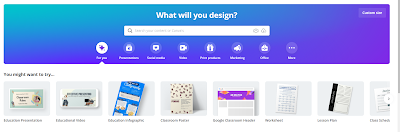
Canva: A Presentation Tool for All!
The first thing I want to say is that educators can get a FREE subscription . It is rare that educators get anything for free, especially an...
-
Remind101 is the best! It's free! There's an app for it and the customer support is excellent! What is Remind101? It's a safe ...
-
The first thing I want to say is that educators can get a FREE subscription . It is rare that educators get anything for free, especially an...
-
 We are a Google Education school, so when I saw this, I was excited! Giving our students the tools they need to communicate "be...

